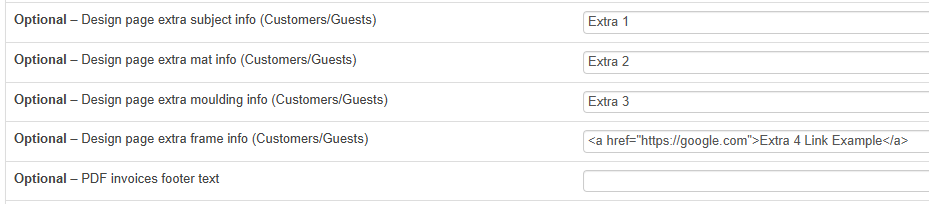
If you need to add more information on the customer design interface, you can include extra text/links/images to 4 set locations. You will find the fields where you can enter the information at the bottom of Menu -> Localization -> Customize Language:
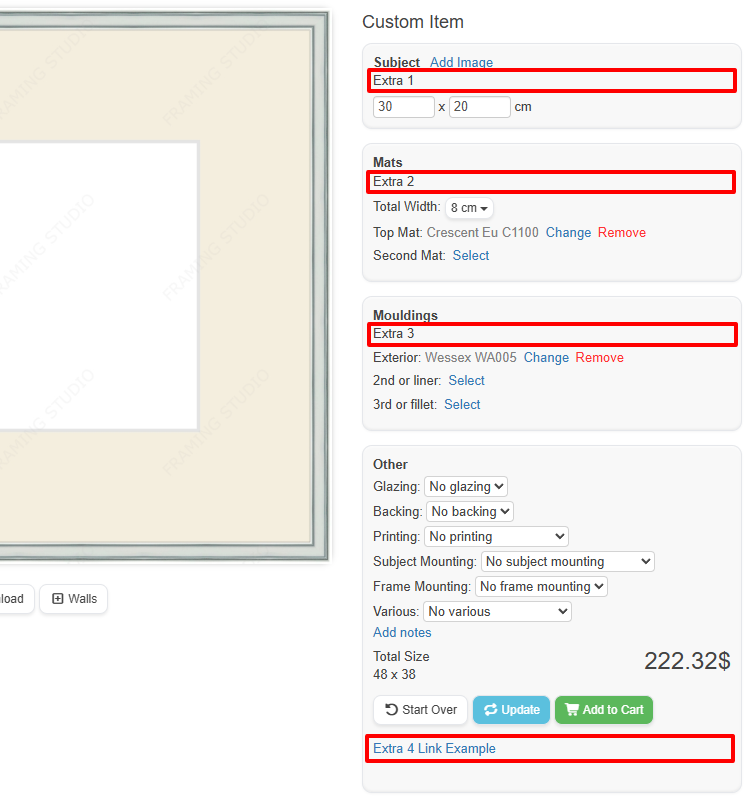
Here’s where the data entered in each field is displayed:
Was this article helpful?
That’s Great!
Thank you for your feedback
Sorry! We couldn't be helpful
Thank you for your feedback
Feedback sent
We appreciate your effort and will try to fix the article